

• How to Use FLiNG Trainers & Cheat Tables

    Compatibility: All trainers and cheat tables here target single-player and offline modes of PC games on the exact build noted in each thread. They do not bypass Easy Anti-Cheat, BattlEye, FairFight, or VAC — do not run them in multiplayer or ranked lobbies.

    Installation (4 steps):

    1. Download the trainer or .CT cheat table archive from the thread's attachments.
    2. For trainers: extract and run the .exe as Administrator. For cheat tables: install the latest Cheat Engine, then open the .CT file with it.
    3. Launch the target game first and reach the main menu. Attach trainer or cheat engine to the game process (CE: File → Open Process → pick the game).
    4. Use the listed function keys (trainers) or option toggles (CT) to enable cheats — infinite HP, ammo, money, one-hit kill, super speed, etc.

    If a cheat doesn't activate

    Confirm the game build matches the version listed at the top of this thread. Update Visual C++ Redistributables 2015–2022 (x64) and check that your antivirus hasn't quarantined the file. AV heuristics frequently false-positive on memory-editing tools — this is expected, not a real infection. Installation issues are discussed in Trainer Support.

    FLiNG Cheat hosts community-verified PC game trainers and cheat tables. All tools are free, offline-only, and targeted at single-player experiences.

Working Cute Robot Time Cheat

Working

This means the trainer/cheats is actively running.

Maintenance

This means the trainer/cheats are actively in maintenance mode.

Not Working

This means the trainer/cheats are not working.

Fling Cheat

Admin
Admin
Joined
Oct 28, 2023
Messages
7,120
Reaction score
24
Points
38
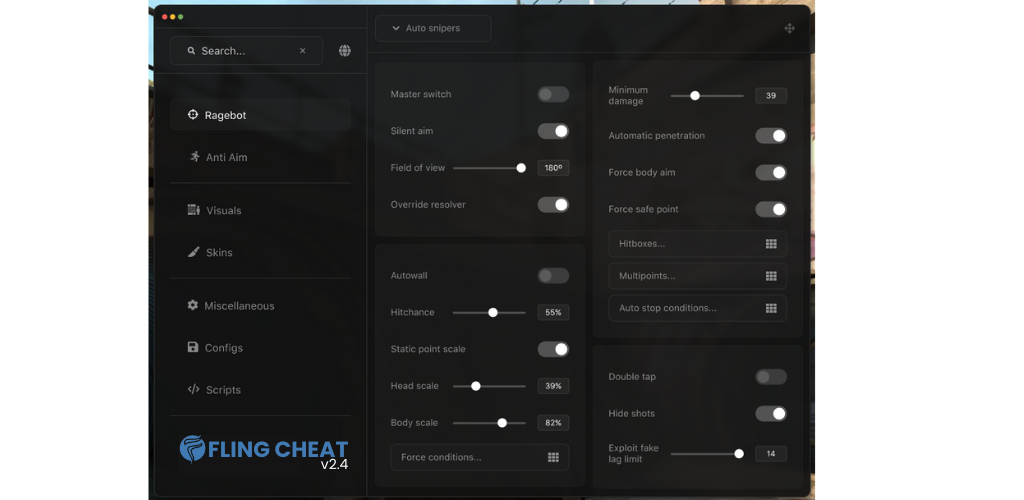
Cute Robot Time Cheat more than +12 options. Thanks to this cheats, you can customize your game.

Developer: me
Publisher: me
Cheat Coder: Vemod
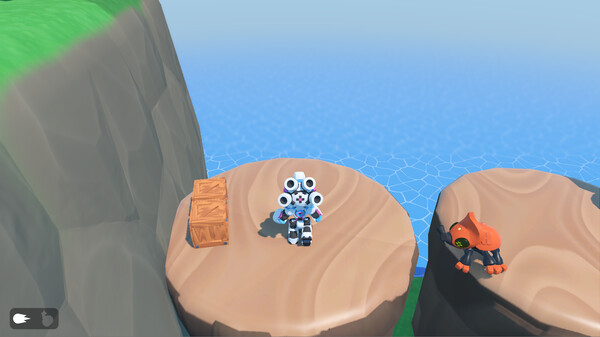
Game About: Cute Robot Time is a creative and challenging 3D platformer where you control an adorable robot through a world filled with traps, obstacles, and puzzles. Jump, parkour, and solve puzzles as you face unique level designs and enjoy smooth action in beautiful 3D environments. You can not click on any button or write/move in the game when menu opened. You need to close menu with Insert key. Version v1.0.0 Hotfix v1, systems: Windows 8 (x64), Windows 8.1 (x64), Windows 10 (x64)
ss_4596e06246a695a5b2c63798fafbcf045420eca0.600x338.jpg
flingtheme.png


How to install Cute Robot Time Trainer​

*For Esp trainer works, set your graphic settings to ultra hd (medium) or best (highest).
It will not work on hd settings (low)
Trainer is not working on Emulators! Hack will work only on Official Client !

How to use ?
1- Open flingui loader.
2- Go to ui.flingcheat.com and select game.
3- Select Dword Hack and press load.
4- If everything is working normal, you will have external window for our menu.
5- Lastly, open the game. Enjoy.
 

Download

If the trainer does not work, download all 2 files and then install them.

File Date added File size Downloads
exe Full.Access.Cute Robot Time Cheat-FLiNG
Standalone Versions:
zip Early.Access.Plus.Cute Robot Time Cheat

Similar topics

Back
Top